

安卓逆向题目的详细解析
在这篇博客中,我将分享我在安卓逆向学习过程中遇到的一道题目,并记录下我的分析思路与解题过程。
题目一:3-火焰风暴
思路
这道题目需要用Frida来强制移动应用程序的一个函数工作来获得密码,然后在strings.xml文件中找到一个Firebase配置,再用密码和电子邮件对firebase数据库进行身份验证
这里的Password() 方法从 strings.xml 中获取多个字符串资源并对这些字符串进行子串截取并拼接成一个新的字符串。 将拼接后的字符串传递给 native 方法 generateRandomString() 进行处理。最终返回处理后的结果。看了wp后才知道该函数来自本机库“firestorm”。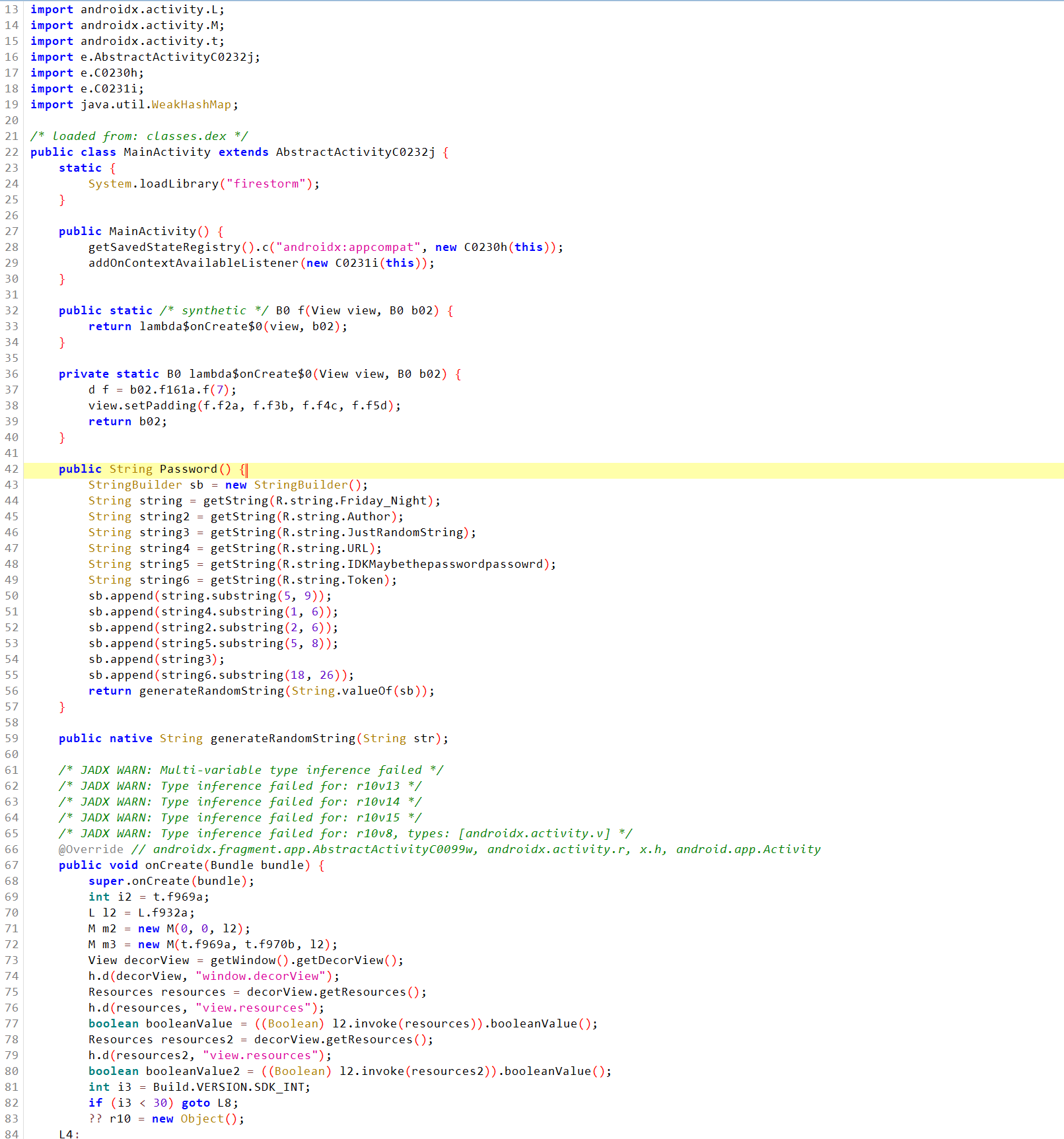
在AI的帮助下先写好JS代码,使它强制执行 Password 函数,然后打印该函数的结果。
脚本1
2
3
4
5
6
7
8
9
10
11
12
13
14
15
16
17
18
19
20
21Java.perform(function() {
function getPassword() {
Java.choose('com.pwnsec.firestorm.MainActivity', {
onMatch: function(instance) {
console.log("MainActivity instance found: " + instance);
try {
var pass = instance.Password();
console.log("FireBase Password: " + pass);
} catch (e) {
console.log("Error occurred: " + e);
}
},
onComplete: function() {
console.log("Search completed. Exiting script.");
}
});
}
// Delay execution to ensure the app is fully started
setTimeout(getPassword, 4000); // Adjust the delay as needed (4000 ms = 4 seconds)
终于搞到密码了,这里我的模拟器有点问题,搞了很久才搞好。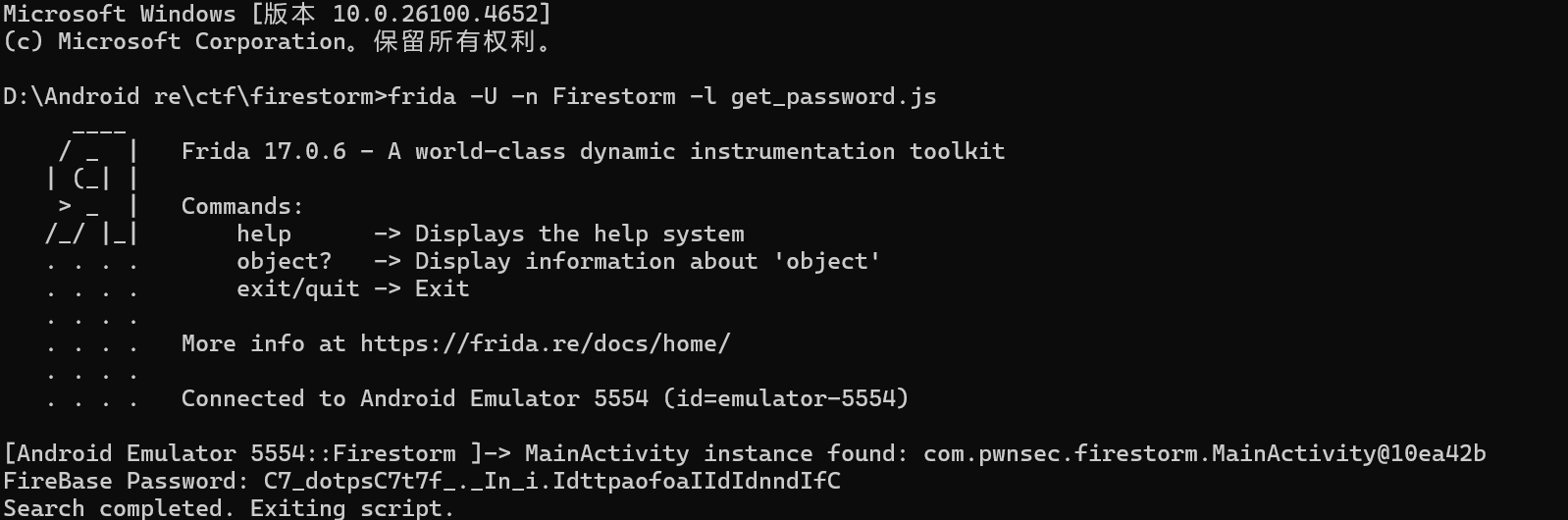
得到了密码后密码将用于向 Firebase 数据库进行身份验证,firebase 配置可以在“strings.xml”文件中找到。
找到了firebase 配置和 firebase 电子邮件后现在需要使用电子邮件和密码向 Firebase 数据库进行身份验证。
得到flag: PWNSEC{C0ngr4tsTh4t_w45_4N_345y_P4$$w 0rd_t0_G3t!!_0R!5_!t???}
脚本1
2
3
4
5
6
7
8
9
10
11
12
13
14
15
16
17
18
19
20
21
22
23
24import pyrebase
import requests
config = {
"apiKey": "AIzaSyAXsK0qsx4RuLSA9C8IPSWd0eQ67HVHuJY",
"authDomain": "firestorm-9d3db.firebaseapp.com",
"databaseURL": "https://firestorm-9d3db-default-rtdb.firebaseio.com",
"storageBucket": "firestorm-9d3db.appspot.com",
"projectId": "firestorm-9d3db"
}
firebase = pyrebase.initialize_app(config)
auth = firebase.auth()
email = "TK757567@pwnsec.xyz"
password = "C7_dotpsC7t7f_._In_i.IdttpaofoaIIdIdnndIfC"
user = auth.sign_in_with_email_and_password(email, password)
db = firebase.database()
print(db.get(user['idToken']).val())
— END —